How to Set Active and Inactive Student
How to active and inactive student?
In this tutorial, we will learn how to set active and inactive student in pickiddo web.
Step 1
Select individual student on extended menu at most left on each record, then choose Delete student button at the bottom
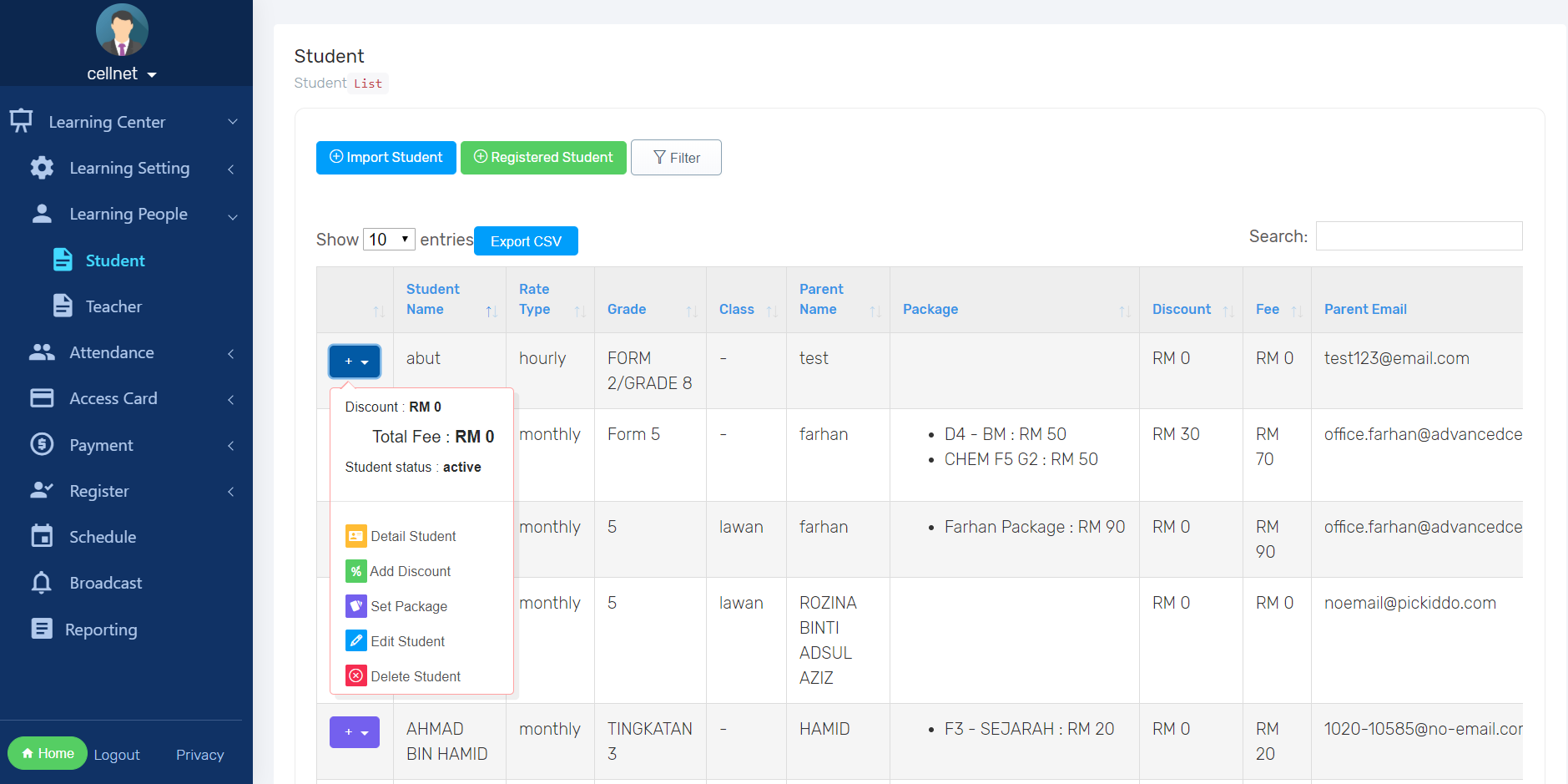
Step 2
You have option to delete or just make it inactive. You can reactivate back without rewrite the info unlike the delete student

Step 3
To reactivate (inactive to active) choose Detail student button
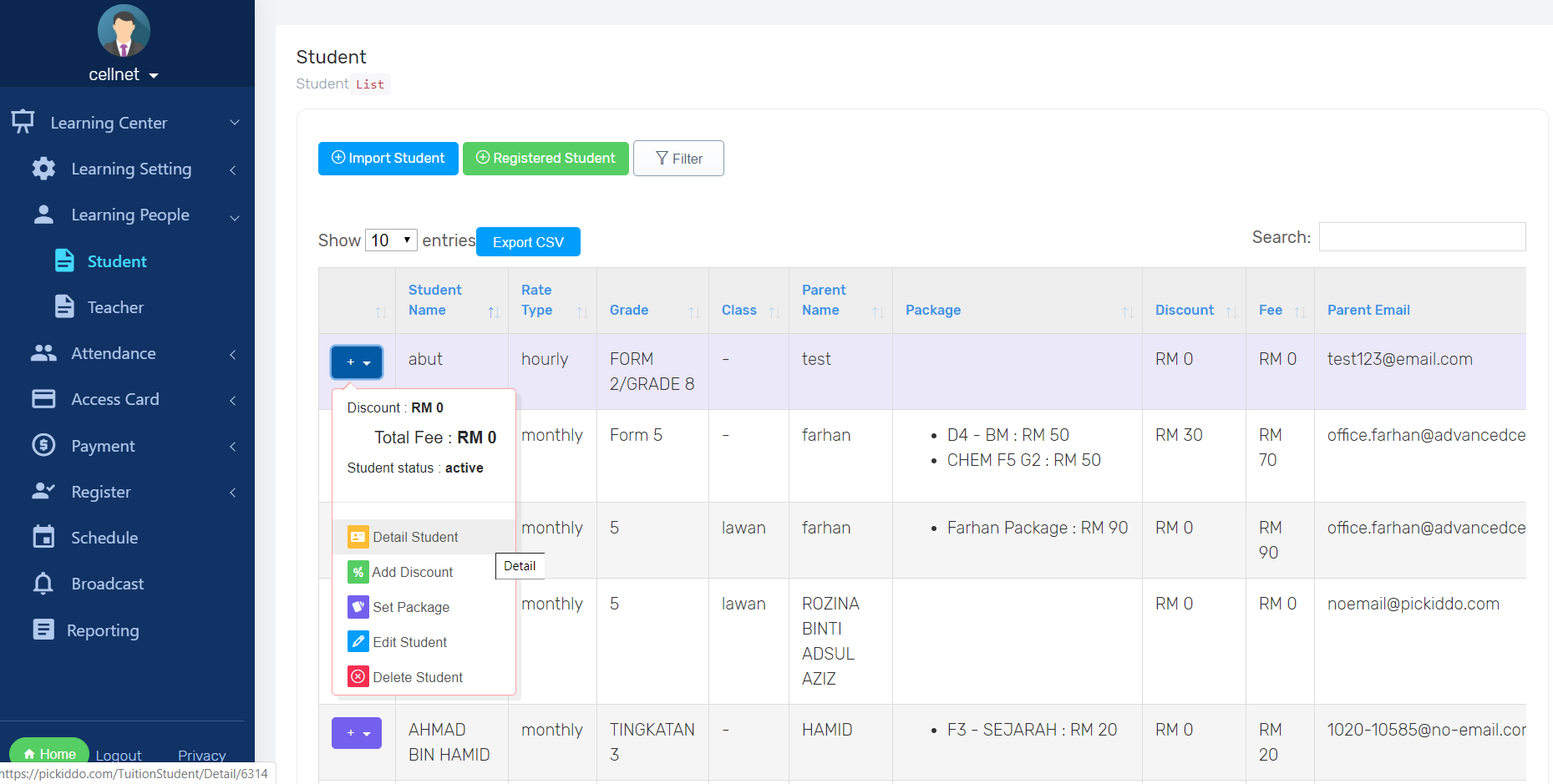
Step 4
Change status from Active to Inactive